
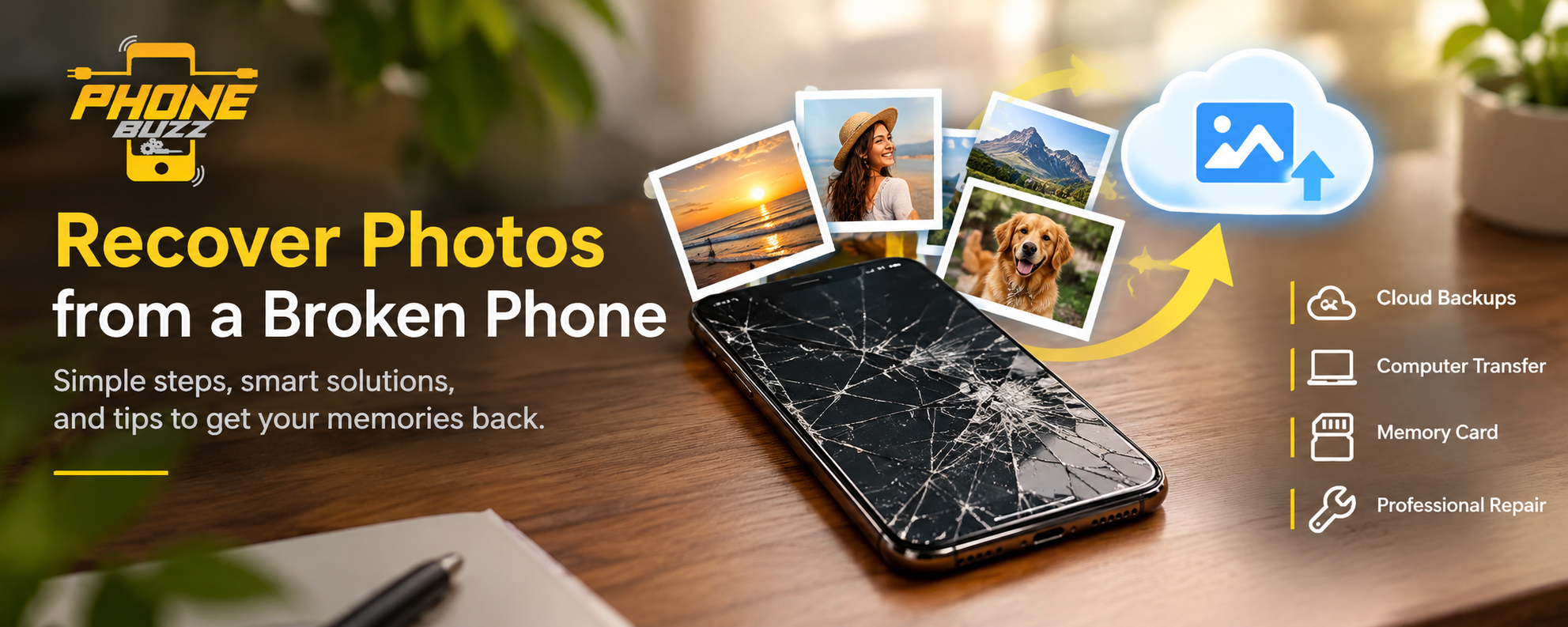
Losing access to your phone can be stressful, especially when it contains precious photographs, family memories, travel pictures, important screenshots, and personal videos. A cracked screen, accidental drop, water damage, or sudden hardware failure can make your device difficult or impossible to use. Fortunately, a damaged phone does not always mean that your photos are permanently lost. Depending on the type of damage, your backup settings, and the condition of the phone’s internal storage, several recovery options may be available.
If you want to recover photos from a broken phone, the first step is to understand what has stopped working. Sometimes, the phone’s screen is damaged while its internal components and storage remain functional. In other cases, the device may have a charging problem, a damaged motherboard, or a serious hardware fault that requires professional attention. Identifying the issue can help you choose a suitable recovery method without putting your valuable data at unnecessary risk.
This guide explains practical ways to recover pictures from damaged Android phones and iPhones, check cloud backups, transfer accessible files, and decide when professional repair assistance may be necessary. Phone Buzz can be a useful starting point when researching mobile phone solutions and learning how to protect your important digital memories.
Can You Recover Photos from a Broken Phone?
Yes, it is often possible to recover photos from a broken phone, but success depends on the nature of the damage and whether your photographs were backed up before the incident. A broken display does not necessarily mean that the phone’s internal storage has failed. Similarly, a phone that will not charge may still contain accessible data.
If the device can power on and its storage remains functional, you may be able to retrieve photos through a computer, an existing cloud backup, or a suitable repair. If the internal storage or motherboard is severely damaged, recovery may be more complicated and cannot always be guaranteed.
The most important distinction is between physical damage to the phone’s exterior and damage affecting its internal components. A cracked screen, for example, may prevent you from viewing your photographs even though the files remain intact. However, severe water damage or electrical failure can affect the components needed to access those files.
Before trying complicated recovery techniques, check whether your pictures are already available through a cloud account or another device. This can save time, reduce repair costs, and help you avoid unnecessary risks.
What to Do Immediately After Your Phone Breaks
When a phone breaks unexpectedly, your first reaction might be to restart it repeatedly, connect it to different chargers, or attempt to repair the screen yourself. However, these actions may not be appropriate for every type of damage.
If your phone has suffered water damage, disconnect it from its charger immediately if it is safe to do so. Do not attempt to charge a wet device or use heat to dry it. If the phone becomes unusually hot, smells burnt, or has a swollen battery, stop handling it and seek qualified repair assistance.
If the phone has a cracked screen but otherwise appears to work, avoid pressing hard on the damaged display. Broken glass can cause injuries, and pressure may worsen the damage. If the device is responsive, consider making a backup before attempting repairs.
Do not factory-reset the phone, unlock its bootloader, or install unfamiliar recovery software without understanding the consequences. These actions may erase data, alter storage, or make recovery more difficult.
If your photographs are especially valuable, avoid experimenting with repeated repair attempts. A careful assessment can help determine whether you should use a backup, transfer files, repair the device, or consult a data recovery specialist.
Check Cloud Backups Before Attempting Physical Recovery
One of the easiest ways to recover photos from a broken phone is to check whether your pictures were automatically backed up. Cloud services can preserve photographs independently of the damaged device, allowing you to access them from another phone or computer.
Recover Photos Using Google Photos
Google Photos can be particularly useful for Android users and anyone who previously enabled photo backup on their device. If your photographs were uploaded successfully before the phone broke, you may be able to retrieve them without repairing the original device.
Open a web browser on another device and visit Google Photos. Sign in using the Google Account associated with your broken phone. Browse your photo library and check whether the missing pictures and videos are available.
Make sure you are using the correct Google Account. Some people have multiple accounts and may have enabled backups under a different email address. You should also check whether the relevant device folders were included in the backup settings.
Remember that Google Photos cannot automatically recover every photograph stored locally on a damaged phone. Images that had not been uploaded before the device failed may still require another recovery method.
Recover Photos Using iCloud
For iPhone users, iCloud Photos may provide a convenient way to access pictures without using the damaged device.
Visit iCloud.com from a computer or another compatible device and sign in with your Apple Account. Open Photos and check whether your photographs and videos appear in the library.
If iCloud Photos was enabled and the images finished syncing before the damage occurred, they may already be available online. You can then download the photographs you need to a computer or another secure location.
If the images are missing, verify that you have signed in with the correct account and consider whether the photos were stored locally instead of being synchronised with iCloud. An iCloud device backup may also contain photos in some circumstances, depending on your settings and whether iCloud Photos was enabled.
Check Other Backup Services and Devices
Your photographs may also exist in other locations. Check whether you previously transferred images to a laptop, desktop computer, external hard drive, USB storage device, or another phone.
You should also consider whether your pictures were shared through messaging applications, email, or social media. Copies shared with friends and family may help you recover at least some important images, although they might not retain the original quality.
Checking these locations first is a practical way to recover photos from a broken phone without immediately paying for hardware repairs.
How to Recover Photos from a Broken Android Phone
Android photo recovery depends on the phone model, its condition, security settings, and whether you can access its storage. The following methods may help if the device is damaged but not completely inaccessible.
Connect the Phone to a Computer
If your Android phone powers on and its screen is usable, connect it to a computer with a compatible USB cable. Unlock the phone and select the appropriate file-transfer option if prompted.
On the computer, open the device’s storage and look for folders such as DCIM, Camera, Pictures, and Downloads. Your camera photographs are commonly stored in the DCIM or Camera folder, although folder locations can vary between devices and applications.
Copy the available photographs to a folder on your computer. Afterward, create another backup on an external drive or trusted cloud service.
However, connecting a broken phone to a computer does not guarantee access. Many modern Android devices require the phone to be unlocked and file-transfer access to be approved. A damaged touchscreen may prevent you from completing these steps.
If the device is not recognised, avoid repeatedly changing settings or using unfamiliar software. A compatible screen repair or professional assessment may be needed before the files can be accessed.
Use a Memory Card If Your Phone Has One
Some Android phones support removable microSD cards. If your camera photographs were saved to the memory card, recovering them may be simpler than accessing the phone’s internal storage.
Turn the phone off before removing the card, provided the device is safe to handle and can be powered down normally. If you are uncertain about the device’s condition, ask a technician to remove it safely.
Insert the card into a compatible card reader connected to a computer. Browse the available folders and copy the photographs to another storage location.
Do not format the card if your computer asks you to do so. Formatting can destroy data that you are trying to recover. If the card is unreadable or physically damaged, stop experimenting and consider a specialist recovery service.
Keep in mind that this method works only when the photographs were actually stored on the removable card. Images saved exclusively to the phone’s internal memory will not appear on it.
How to Recover Photos from a Broken iPhone
Recovering photos from a broken iPhone can be straightforward if the images were synchronised or backed up before the damage occurred. If no backup exists, the options depend on whether the iPhone can still start, unlock, and communicate with a trusted computer.
Check iCloud Photos and Existing Backups
Start by checking iCloud Photos from a browser or another Apple device. If your pictures were synchronised, you may be able to download them directly.
You can also investigate whether you previously backed up the iPhone to a Mac or Windows computer. Depending on the backup date and settings, an existing backup may contain photographs that are no longer accessible on the damaged device.
Be careful before restoring a backup to another phone. Restoring can replace or merge existing data depending on the device and method used. Make sure important information on the receiving device is protected before making changes.
Connect the iPhone to a Previously Trusted Computer
If your iPhone is still operational but has a damaged display, a computer that was previously trusted by the device may offer another route to access or back up data. The process depends on the iPhone model, software version, security settings, and whether the device can be unlocked.
A new computer may require you to approve the connection on the iPhone. If the touchscreen does not work, you may be unable to provide that approval.
If your photographs are not backed up and the phone cannot be unlocked, a professional repair that restores the screen or other essential functions may be the safest next step. The objective is to regain access to the existing data rather than erase the device.
What If the Phone Has a Broken Screen but Still Turns On?
A broken screen is one of the most common situations in which people need to recover photos from a broken phone. Fortunately, a damaged display does not automatically mean that the photographs are lost.
First, determine whether the phone is still powering on. If you hear notifications, feel vibrations, or receive calls, the device may still be operating even if the display is unusable.
If you can unlock the phone, you may be able to back up your data or transfer files using a computer. If the touchscreen is unresponsive, the solution will depend on your device’s connection options and security requirements.
Some Android models support external display connections or compatible input devices, but support varies. An adapter will not solve every problem, particularly if the phone requires a screen-based security confirmation.
For an iPhone or Android device that cannot be unlocked, repairing the display may be necessary to regain access. Explain to the repair provider that recovering your photographs is the priority. Ask whether the repair can preserve the existing data and confirm that no reset will be performed without your permission.
A screen replacement can sometimes restore access without replacing the phone’s internal storage, but results depend on the specific damage.
Can You Recover Photos from a Phone That Will Not Turn On?
A phone that does not turn on presents a more complicated recovery challenge. The problem could involve a depleted battery, a faulty charging port, a damaged power circuit, water damage, or a motherboard failure.
If the phone has no signs of liquid damage, overheating, or battery swelling, you can check whether the charging cable and power adapter are functioning correctly. However, avoid repeatedly attempting to power on a device that has been exposed to water or shows signs of electrical damage.
If basic checks do not help, a qualified technician can inspect the device to identify the fault. In some cases, repairing the charging system or another failed component may allow the phone to start normally and provide access to its photographs.
If the motherboard or storage-related components are damaged, recovery may require specialised equipment and expertise. Modern smartphones also use encryption and device-specific security systems, meaning that simply removing a storage chip does not necessarily make its contents readable.
No legitimate recovery provider can guarantee success in every case. Ask for an assessment, an explanation of the proposed method, and a clear understanding of the costs and risks before authorising work.
Is Photo Recovery Software Safe to Use?
Photo recovery software can be helpful in certain situations, but it is not a universal solution for a physically broken phone.
Some tools are designed to scan accessible storage, locate deleted files, or retrieve information from existing backups. Others may claim to recover data from damaged devices but require permissions or procedures that could put your information at risk.
Before installing a recovery application, research the developer, read independent reviews, and understand exactly what access the software requires. Avoid tools that ask you to disable important security protections or provide your account password unnecessarily.
Be especially cautious about applications promising guaranteed recovery from water-damaged phones, destroyed motherboards, or inaccessible encrypted storage. Software cannot repair every physical fault, and a computer program cannot retrieve photographs that were never saved or backed up in an accessible form.
When the images are irreplaceable, consider consulting a professional before trying multiple recovery tools. The safest method is the one that offers a realistic chance of retrieving the files without causing additional damage.
When Should You Contact a Professional Data Recovery Service?
Professional assistance may be appropriate when your phone has suffered severe physical damage, will not power on, has been exposed to water, or cannot be unlocked because the screen or internal components are faulty.
A repair technician may be able to restore the functions needed to access your existing data. A dedicated data recovery specialist may be required if the fault involves more complex hardware damage.
Before handing over the phone, explain the type of damage, when it occurred, and whether you have already tried charging, restarting, or connecting the device to a computer. Mention any important photographs that have not been backed up.
Ask the provider whether the diagnostic process could affect your data, whether the repair requires a reset, and how your personal information will be protected. Confirm the estimated cost before authorising the work.
You should also ask about the provider’s privacy practices. A smartphone can contain private photographs, messages, documents, and account information, so the handling of personal data matters as much as the recovery process.
Phone Buzz readers should remember that choosing the right solution depends on the phone’s condition, the importance of the missing photographs, and the likely cost of recovery compared with the value of the data.
Common Mistakes to Avoid During Photo Recovery
One of the most damaging mistakes is performing a factory reset before checking available recovery options. A reset can erase local information and make recovery more difficult, particularly when no backup exists.
Another mistake is repeatedly charging or restarting a phone after liquid exposure. Moisture can contribute to electrical damage, and continued power attempts may worsen the fault.
Avoid opening a smartphone without suitable tools and experience. Modern devices contain delicate components, adhesive-sealed parts, and lithium-ion batteries that require careful handling.
Do not assume that every online recovery tool is trustworthy. Unverified applications can create privacy and security risks, and some may request unnecessary access to your information.
Finally, do not wait until a phone breaks to consider backups. Regularly synchronising photographs and keeping an independent copy of important files can make future recovery significantly easier.
How to Prevent Losing Photos in the Future
The most reliable way to protect your photographs is to maintain more than one copy. Cloud backup can make pictures accessible from other devices, while a separate computer or external drive provides an additional layer of protection.
On Android, review your Google Photos backup settings and confirm that the correct account and relevant device folders are included. On iPhone, check your iCloud Photos settings and understand how your device backups work.
Periodically open your backup service from another device to confirm that recent photographs are available. A backup setting being enabled does not necessarily mean that every image has finished uploading.
For particularly valuable photographs, maintain a separate copy outside your phone. Consider organising pictures into folders by year, event, or occasion so that they are easier to find and verify.
You should also protect your device with a suitable case and screen protector, keep it away from liquids, and address charging or battery problems before they become serious.
A few minutes spent maintaining backups can prevent considerable stress if your phone is lost, damaged, or no longer usable.
Frequently Asked Questions About Recovering Photos from a Broken Phone
Can I recover photos from a phone with a completely broken screen?
Yes, it may be possible. If the phone’s internal storage remains functional, your pictures may be recoverable through cloud backups, a previously trusted computer, or a repair that restores access to the device. The exact method depends on whether the phone can power on and be unlocked.
Can I recover photos from a broken phone without a backup?
Possibly. If the phone still functions and its storage is accessible, you may be able to copy the pictures directly. If the device cannot start or its internal components are damaged, professional recovery may be necessary. Success cannot be guaranteed.
Can I recover photos from a water-damaged phone?
Recovery may be possible, but the safest approach is to stop using the device and seek qualified assistance. Do not charge a wet phone or apply heat. If your photographs were synchronised to a cloud account before the incident, check that account first.
Can I recover photos from a broken Android phone using a computer?
Yes, if the phone can be unlocked and permits file transfer. You can then copy accessible photographs from folders such as DCIM and Pictures. If the device requires an approval you cannot provide because of screen damage, a repair may be necessary.
Can I recover photos from a broken iPhone without replacing it?
If your pictures are available in iCloud or an existing computer backup, you may not need to repair the original iPhone to retrieve them. If the only copies are on the device, a suitable repair may be required to regain access.
Is it possible to recover photos after a factory reset?
Recovery depends on the phone, its storage technology, encryption, and whether copies exist elsewhere. Modern smartphones generally make recovery from reset internal storage difficult or impractical. Check cloud services and older backups before attempting further procedures.
How much does it cost to recover photos from a broken phone?
The cost varies according to the phone model, the type of damage, the repair needed, and whether specialist data recovery is required. Checking existing backups is usually the best first step because it may avoid repair expenses altogether.
Final Thoughts: Recover Your Important Memories Safely
A broken phone can feel like a major loss when it contains photographs that cannot easily be replaced. However, a damaged screen, charging fault, or other hardware problem does not automatically mean that every picture has disappeared forever.
To recover photos from a broken phone, start by checking Google Photos, iCloud, existing computer backups, and removable memory cards where applicable. If your images are not available elsewhere, assess whether the phone can still be unlocked and connected to a computer. When the damage is severe, seek qualified repair or data recovery assistance before trying risky procedures.
Avoid factory resets, unverified software, and repeated power attempts on devices with possible liquid or electrical damage. Protecting the original data should remain the priority throughout the process.
Phone Buzz aims to help readers make informed decisions about mobile phone problems and practical device solutions. By understanding your recovery options and maintaining regular backups, you can improve your chances of preserving the photographs and memories that matter most.
If your phone is still working despite a broken screen, act carefully and check your backup options before arranging repairs. If the device is completely unresponsive, professional assessment may be the next sensible step. The right approach depends on the condition of your phone, but starting with the safest options can make the recovery process clearer and less stressful.